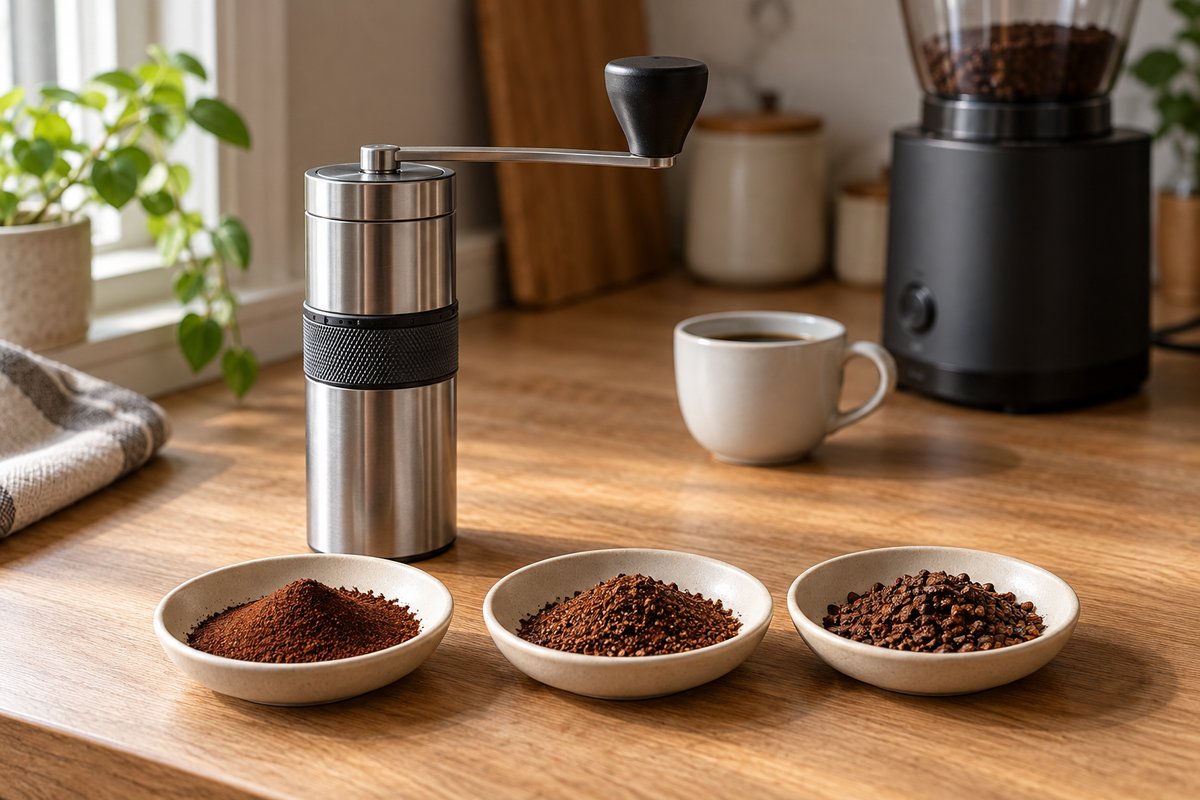
Treat every number on this page as your first brew, not your answer. Grinder dials are not standardized. Setting 20 on a Baratza Encore and 20 clicks on a Comandante are completely different grinds, and two copies of the same grinder can differ by a step or two. Start where the table says, brew, taste, and move from there.
Where a manufacturer publishes a setting, the tables use it and say so. Where it does not, they give the range that most published charts and roaster guides agree on, labeled “common charts”. A few are this guide’s own estimates, and they are labeled too. If your grinder’s manual gives a different number, the manual wins.
Before you use any chart
- Higher numbers are coarser on every grinder on this page.
- Hand grinders count clicks from zero. Zero is the point where the burrs just meet. Each grinder below explains how to find it. Find it gently: forcing the burrs together moves zero and can damage them.
- Electric grinders are set at the factory, so you read the number on the dial. Change the setting with the motor running if there are beans in the hopper; turning it while full can jam the burrs.
- Models and generations have their own scales. The Encore and the Encore ESP, the Ode Gen 1 and Gen 2, and the 1Zpresso JX and JX-Pro all number their dials differently. Check that a chart is for your exact model before you trust it.
If you are not sure what grind a method wants in the first place, the grind size chart gives every method on this site a starting texture.
Baratza Encore
The original Encore has 40 numbered steps. Baratza publishes starting points for three brewers in its brew guides; the rest come from common charts.
| Method | Start at | From |
|---|---|---|
| AeroPress | 12 | Baratza |
| V60 | 23 | Baratza |
| Chemex | 25 | Baratza |
| Drip machine | About 20 | Common charts |
| French press | About 30 | Common charts |
| Cold brew | 30 and up | Common charts |
| Espresso | No setting | See below |
Baratza’s own numbers run coarser than many online charts, which often put a V60 in the mid-teens. If a V60 at 23 runs fast and tastes sour, go finer two steps at a time.
Baratza does not give an espresso setting for the original Encore. Its finest settings can work with a pressurized basket, but with a standard basket the right shot often falls between two steps. The Encore ESP was made to fix exactly that.
Baratza Encore ESP
The Encore ESP also has 40 steps, split in two. Settings 1 to 20 are small micro-steps for espresso; 21 to 40 are larger steps for filter coffee.
| Method | Start at | From |
|---|---|---|
| Espresso | Coarse end of 1–20, then finer | Baratza |
| AeroPress | 22 | Baratza |
| V60 | 25 | Baratza |
| Kalita Wave | 28 | Baratza |
| Chemex | 30 | Baratza |
| Drip machine | High 20s | Common charts |
| French press | Low to mid 30s | Common charts |
Do not use Encore numbers on the ESP, or the other way around. For the same brewer, the ESP’s number is higher: a V60 is 23 on the Encore and 25 on the ESP. The Encore ESP Pro has a stepless dial with a different scale again.
Fellow Ode Gen 2
The Ode’s dial reads 1 to 11, with two small ticks between each number, for 31 steps in all. Fellow publishes settings for most filter methods.
| Method | Start at | From |
|---|---|---|
| AeroPress | 4 | Fellow |
| Pourover | 5 | Fellow |
| Chemex | About 6 to 7 | Estimate |
| Drip machine | 5 to 10, by batch size | Fellow |
| French press | 8 | Fellow |
| Cold brew | 10 | Fellow |
| Espresso | Not supported | Fellow |
Fellow’s drip settings were written for its own brewer, but the pattern applies to any machine: about 5 for up to three cups, 8 for three to five, and 10 for a larger pot. A bigger bed of coffee drains more slowly, so it wants a coarser grind. The Chemex figure is this guide’s estimate: a Chemex wants a coarser grind than other pourover cones, so start a step or two coarser than 5.
Fellow says the Ode is not built for espresso, and it does not list the Moka Pot either. The numbers also differ between generations. Fellow puts a pourover at 4 on the original Ode and 5 on the Gen 2, and says the guide printed under the original Ode’s lid does not apply to Gen 2 burrs.
Timemore Chestnut C2
The C2 is a hand grinder with an unnumbered dial, counted in clicks from zero. Timemore does not publish a settings chart, so every figure here comes from common charts, and those charts disagree by a few clicks. Treat them as ranges.
| Method | Start at | From |
|---|---|---|
| Espresso | 7 to 12 clicks | Common charts |
| Moka Pot | 12 to 16 clicks | Common charts |
| AeroPress | 12 to 16 clicks | Common charts |
| Pourover | 15 to 20 clicks | Common charts |
| Chemex | 18 to 22 clicks | Common charts |
| French press | 24 to 28 clicks | Common charts |
| Cold brew | 26 to 30 clicks | Common charts |
Finding zero: turn the adjustment knob under the burrs clockwise until it stops, with the burrs touching. That is zero. Count clicks as you turn it back counterclockwise. Avoid grinding in the first few clicks, where the burrs nearly touch. Each click moves the burr by roughly 0.08mm, and a full turn is about 12 clicks.
Most reviewers find the C2 struggles to grind evenly enough for espresso. The C3 and C3S use the same click size but different burrs, and charts usually put them one to three clicks finer than the C2 for the same brewer. The C3 ESP has a much finer dial, so C2 numbers do not carry over at all.
1Zpresso JX-Pro
The JX-Pro has a numbered dial on top: 10 numbers with 4 clicks each, so one full rotation is 40 clicks. Settings are usually written in rotations from zero.
| Method | Start at | From |
|---|---|---|
| Espresso | 1 to 2 rotations | 1Zpresso card |
| Moka Pot, AeroPress | 2 to 3 rotations | 1Zpresso card |
| Pourover | 3 to 4 rotations | 1Zpresso card |
| French press | 4 to 5 rotations | 1Zpresso card |
Finding zero: turn the dial clockwise, finer, until the handle starts to turn with resistance. Stop there. 1Zpresso stresses that zero is where resistance begins, not the tightest point you can reach. If the dial does not read 0 at that point, count from where it does sit.
The plain JX, without “Pro”, has 30 clicks per rotation and a coarser step, so its charts are not interchangeable with the JX-Pro’s.
1Zpresso K-Ultra
The K-Ultra’s adjustment ring has 10 numbers with 10 clicks each, so a rotation is 100 clicks, and the ring can go past one rotation. 1Zpresso writes settings as numbers: 8.0 means 80 clicks, and 12.3 means 123.
| Method | Start at | From |
|---|---|---|
| Pourover | 8.0 to 9.0 | 1Zpresso |
| AeroPress | About 8.0 | 1Zpresso recipe |
| French press | About 10 to 12 | Common charts |
| Espresso | About 2.5 to 5 | Common charts |
Some charts write the same settings as rotation, number, and click, so 80 clicks becomes 0.8.0. Check which style a chart uses before you set the dial.
Finding zero: turn the ring counterclockwise until the handle starts to feel resistance, not to the tightest point. The pointer should then sit at 0. The K-Ultra can make espresso, but 1Zpresso sells a separate grinder, the J-Ultra, with a much finer step for it.
Comandante C40
The C40 counts clicks from zero. Comandante publishes ranges in its FAQ, and they are wide, so start in the middle and move by taste.
| Method | Start at | From |
|---|---|---|
| Turkish | 3 to 8 clicks | Comandante |
| Espresso | 7 to 13 clicks | Comandante |
| Moka Pot | 14 to 20 clicks | Comandante |
| Pourover | 18 to 35 clicks | Comandante |
| French press | 25 to 35 clicks | Comandante |
| AeroPress | Depends on recipe | Comandante |
| Cold brew | 30 clicks and up | Common charts |
The pourover range covers everything from a single V60 to a large Chemex. For one mug in a V60, the low to mid 20s is a common place to start; go higher for a Chemex or a bigger batch.
Finding zero: open the burrs until the handle drops freely to six o’clock under its own weight. Then close the dial one click at a time. Zero is the first click where the handle no longer falls. The optional Red Clix axle halves the size of each click, so double every number on this page if you have one.
OXO Brew Conical Burr Grinder
The OXO has 15 numbered settings with smaller micro-settings between them. OXO publishes bands rather than single numbers.
| Method | Start at | From |
|---|---|---|
| Espresso | 1 to 5 | OXO |
| Pourover, drip | 6 to 10 | OXO |
| French press, cold brew | 11 to 15 | OXO |
Start in the middle of each band, around 8 for drip or 13 for French press, and adjust. OXO lists 1 to 5 for espresso, but reviewers find it cannot grind fine enough for a standard espresso basket. It suits a pressurized basket better. The smaller OXO Brew Compact grinder has its own scale, so these numbers do not apply to it.
If your grinder is not listed
You can find a starting point on any burr grinder in a few minutes:
- Find the ends. Note the finest setting where the burrs do not touch and the coarsest setting on the dial.
- Grind a little and feel it. Compare it with the textures on the grind scale, from powdered sugar to cracked peppercorn, and move the dial until it matches the texture your method wants.
- Brew your method’s baseline recipe and time it, then adjust from the cup.
- Write the number down for each brewer you use. A strip of tape on the grinder works.
Dial in from the starting point
From whichever number you start with, let the cup decide:
- Sour, thin, and it brewed fast: grind finer, one or two steps.
- Bitter, drying, and it brewed slowly: grind coarser, one or two steps.
- Pleasant but weak: use more coffee rather than a finer grind. The brew ratio calculator works out how much.
Read the cup, then move covers this in more detail, and the Brew Compass turns a taste into one change for your next brew. For espresso, use the Espresso Compass.
Expect your number to drift over time. A new bag, a different roast, or older beans can each move it a step, and burrs change slowly as they wear. On a hand grinder, grounds stuck around the burrs can shift zero, so find it again now and then. The setting that tasted right last month is the place to start, not a promise.